Introduction
Google Ads is an online advertising platform that helps businesses reach potential customers through Search, Display, YouTube, Gmail, and other Google properties. My projects focus on campaign planning, keyword research, ad creation, audience targeting, campaign optimization, and conversion tracking Structure
Campaign Structure
Account → Campaign → Ad Group → Ads → Keywords
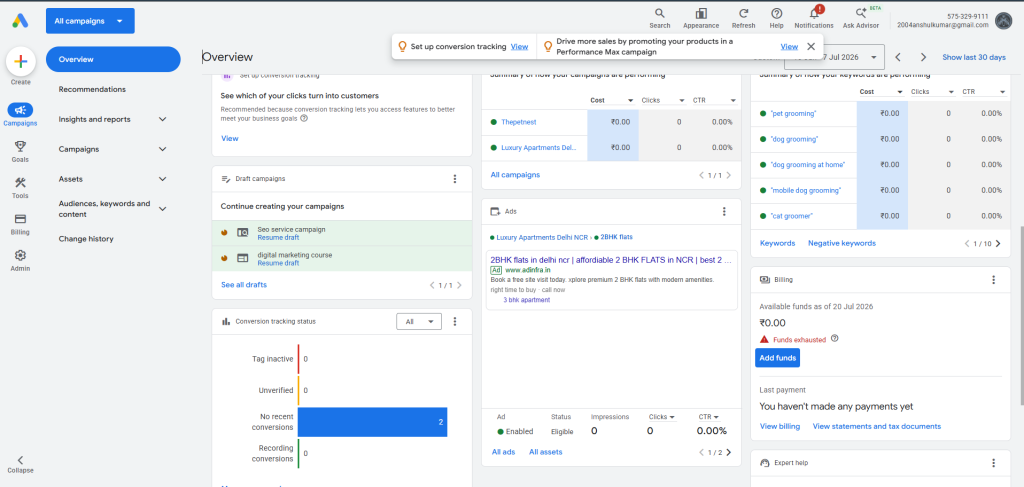
Google Ads Campaign Setup
Explored and selected the appropriate Google Ads campaign types based on marketing objectives, including Search, Performance Max, Display, Video, Demand Gen, and Shopping campaigns.
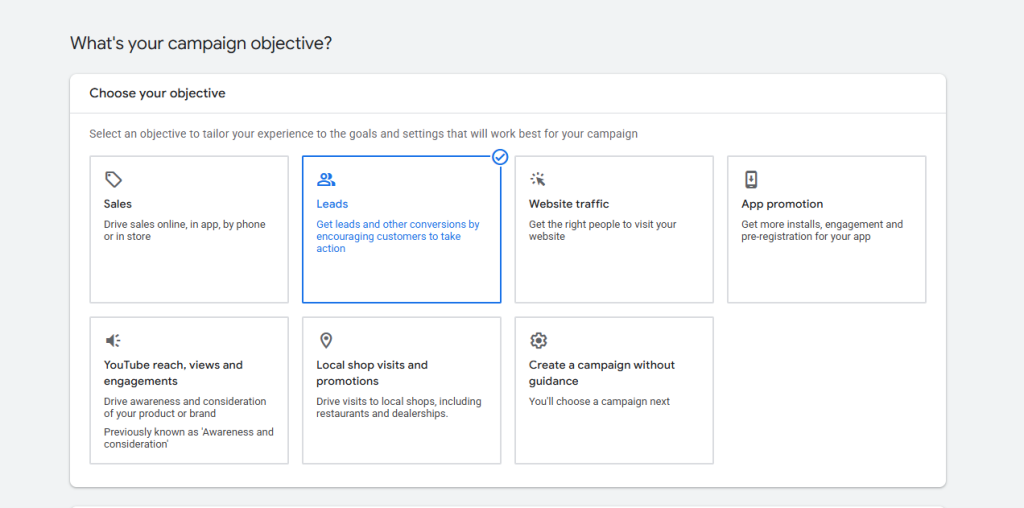
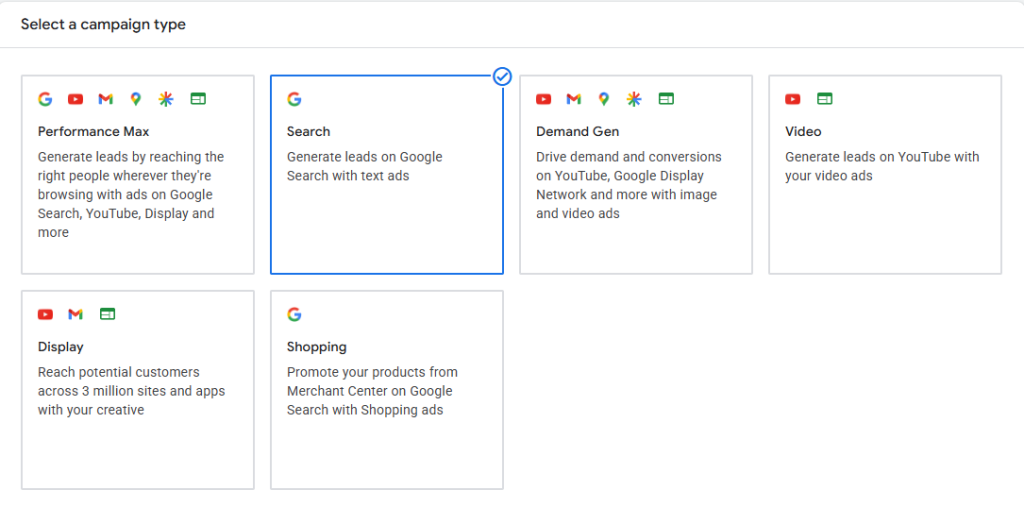
Types of campaigns
Search Campaign
A Search Campaign displays text ads on Google Search results when users search for relevant keywords.
Objectives
- Generate quality leads
- Increase website traffic
- Improve conversions
- Reach high-intent users
Display Campaign
Display Campaigns show image and banner ads across millions of websites, apps, and Gmail.
Objectives
- Brand awareness
- Product promotion
- Remarketing
- Increase website visits
Video Campaign
Video Campaigns promote products and services on YouTube using engaging video advertisements.
Objectives
- Brand awareness
- Product promotion
- Increase video views
- Generate leads
Performance Max Campaign
Performance Max uses AI to show ads across all Google channels, including Search, Display, YouTube, Gmail, Discover, and Maps.
Objective
- Maximize conversions
- Reach customers across Google inventory
- Improve ROI
What is keyword Research
Keyword research is the process of finding relevant search terms that potential customers use on Google. The goal is to select keywords that have high relevance, good search intent, and commercial value.
What I focus on:
- Search volume
- Competition
- CPC
- Commercial intent
- Relevance to the landing page
- Long-tail keywords
Search Intent
Search intent means understanding what the user wants when they search a keyword.
| Intent | Example | Purpose |
|---|---|---|
| Informational | What is SEO | Learn |
| Navigational | Google Ads login | Find a website |
| Commercial | best SEO agency | Compare |
| Transactional | Hire SEO agency | Take action |
For Search Ads, commercial and transactional keywords are generally the most valuable for lead generation.
Keyword Match Types
- Broad match: Loosely related terms
- Phrase match: Searches that include your keyword’s meaning, even if the wording differs slightly
- Exact match: Searches only very close to your keyword
Negative Keywords
Negative keywords prevent ads from showing for irrelevant searches.
Example:
If I am advertising paid SEO services, I may add:
- free
- jobs
- course
- tutorial
- salary
This helps reduce irrelevant clicks and improve budget efficiency.
Ad Extensions / Assets
Google Ads assets provide additional information and can make ads more useful and prominent.
Common assets include:
- Sitelink
- Callout
- Structured snippet
- Call
- Image
- Location
- Price
- Promotion
Landing-Page Optimization
The landing page should match the user’s search intent and the ad message.
I focus on:
- Relevant headline
- Clear CTA
- Fast loading
- Mobile responsiveness
- Simple form
- Trust signals
- Relevant content
- Message match between keyword, ad, and landing page
Goal: Increase conversions while reducing wasted traffic.
Quality Score
Quality Score is a 1–10 diagnostic score that helps evaluate the quality and relevance of keywords and ads.
It is based mainly on:
- Expected CTR
- Ad relevance
- Landing-page experience
Ad Rank
Ad Rank determines whether and where an ad can show relative to other eligible ads.
Google considers factors including:
- Bid
- Ad quality
- Ad Rank thresholds
- Auction context
- Impact of assets/formats
- Other auction-time signals
A simple historical teaching formula often shown is:
Ad Rank ≈ Bid × Quality Score
Search Terms Analysis
Search Terms Report shows the actual searches that triggered ads.
I use it to:
- Find new relevant keywords
- Identify irrelevant searches
- Add negative keywords
- Improve keyword targeting
- Improve ad relevance
- Control wasted spend
Bidding & Budget
Manual CPC
Manual CPC allows the advertiser to set maximum bids for individual keywords/ad groups.
Best suited for:
Campaigns where you want greater manual control over bids.
Maximize Clicks
This automated bidding strategy aims to generate as many clicks as possible within the available budget.
Goal: Traffic
Maximize Conversions
Google automatically adjusts bids to try to generate as many conversions as possible within the budget.
Goal: Leads/conversions
Target CPA
Target CPA bidding aims to generate conversions around a specified average cost per acquisition.
Formula:
CPA = Total Ad Spend ÷ Number of Conversions
Example:
Spend = ₹10,000
Conversions = 50
CPA = ₹10,000 ÷ 50 = ₹200
So the average cost per conversion is ₹200.
Target ROAS
Target ROAS is used when conversion values/revenue are being tracked.
Formula:
ROAS = Conversion Value ÷ Ad Spend
For percentage:
ROAS % = (Conversion Value ÷ Ad Spend) × 100
Example:
Conversion Value = ₹50,000
Ad Spend = ₹10,000
ROAS = ₹50,000 ÷ ₹10,000 = 5
So ROAS = 5x / 500%.
Impression Share
Impression Share represents the percentage of eligible impressions that your ads actually received.
Formula:
Impression Share = Impressions Received ÷ Total Eligible Impressions × 100
Example:
Received impressions = 8,000
Eligible impressions = 10,000
8,000 ÷ 10,000 × 100 = 80%
Impression Share = 80%
Daily / Monthly Budget Planning
Budget planning helps control campaign spending and allocate money to high-performing campaigns.
Approximate monthly budget:
Daily Budget × 30.4
Example:
Daily budget = ₹500
₹500 × 30.4 = ₹15,200/month
| Metric | Formula |
|---|---|
| CTR | (Clicks ÷ Impressions) × 100 |
| CPC | Ad Spend ÷ Clicks |
| CPM | (Ad Spend ÷ Impressions) × 1,000 |
| CPA | Ad Spend ÷ Conversions |
| Conversion Rate | (Conversions ÷ Clicks) × 100 |
| ROAS | Conversion Value ÷ Ad Spend |
| ROAS % | (Conversion Value ÷ Ad Spend) × 100 |
| Impression Share | (Impressions Received ÷ Eligible Impressions) × 100 |
| AOV | Revenue ÷ Orders |
| Cost per Lead | Ad Spend ÷ Leads |
| Lead Conversion Rate | (Leads ÷ Clicks) × 100 |
| Budget Utilization | (Actual Spend ÷ Planned Budget) × 100 |
GA4 + Google Ads Linking
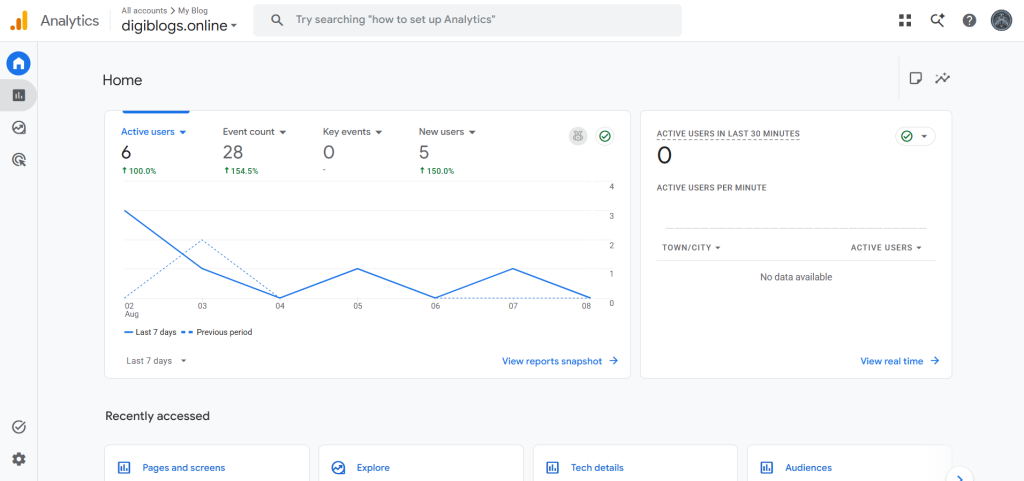
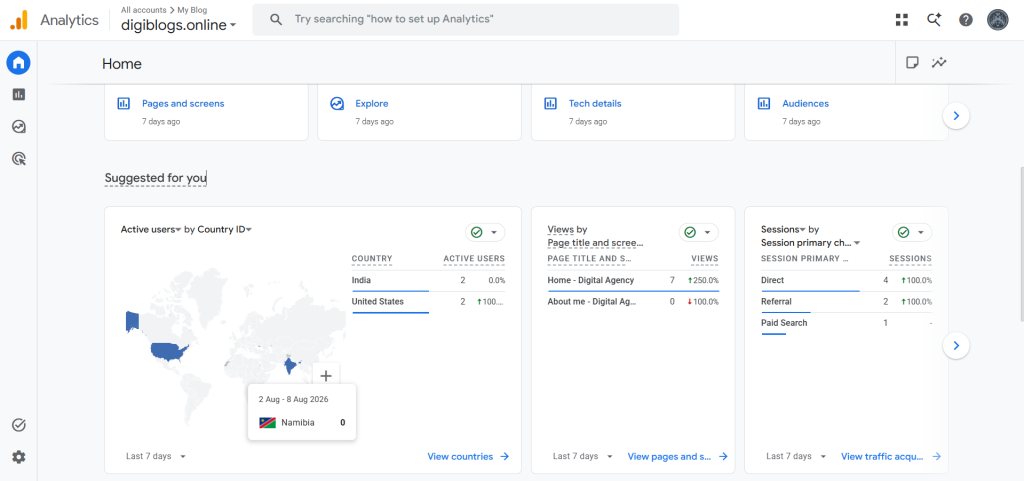
I understand the basic process of connecting Google Analytics 4 (GA4) with Google Ads to share relevant measurement data and analyze user behavior.
Typical workflow:
Google Ads → GA4 → Conversion Events → Google Ads
This helps connect advertising traffic with on-site actions and conversion analysis.
Google Tag Manager — Basics
Google Tag Manager (GTM) can be used to implement and manage tracking tags without repeatedly editing website code.
Basic concepts:
- Tags
- Triggers
- Variables
- Preview & Debug
- Conversion tracking
Example:
User clicks WhatsApp → Trigger fires → Tag/Event sends data → GA4 → Google Ads
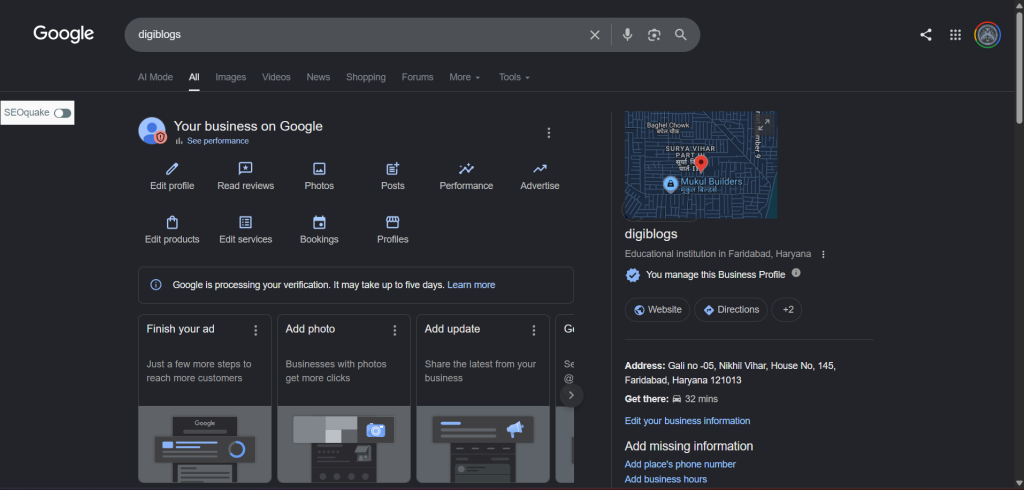
Google Business Profile Optimization
Project Overview
Optimized a Google Business Profile to improve local search visibility, provide accurate business information, and make it easier for potential customers to find and contact the business.
Work Performed
- Google Business Profile setup & optimization
- Business name, category & description optimization
- Business information and contact details setup
- Business hours configuration
- Service/product information optimization
- Business photos and logo upload
- Google Maps location setup
- Review management basics
- Local keyword optimization
- Profile completeness improvement
- Performance/Insights monitoring
Tools Used
Google Business Profile • Google Maps • Google Search
Metrics You Can Show
- Reviews & Rating
- Searches / Views
- Profile Views
- Website Clicks
- Phone Calls
- Direction Requests
- Messages